API Reference
Complete reference for all public classes and methods in the OZeroSecurity SDK. All classes live in the OZeroSDK.Security namespace unless otherwise noted.
OZeroSecurityManager OZeroSDK.Security
The global manager that handles all active security modules and security events. Survives scene transitions and can be accessed via the Instance property. The SDK creates it automatically at app startup, so you do not need to instantiate it manually.
Properties
| Name | Type | Description |
|---|---|---|
| Instance | OZeroSecurityManager | Static singleton accessor. Returns the active instance. |
Methods
Registers a callback so your project can react to security events. OZero's built-in response still runs separately, so registering or removing this callback does not turn protection off. The callback receives an OZeroSecurityEvent with the detected area, public abort code, message key, diagnostic message, and whether the app is scheduled to close.
Removes a previously registered user callback. Always call this in OnDisable or OnDestroy to prevent memory leaks.
Registers the project callback used by CustomCallbackOnly. It runs only after native code has armed an irreversible fatal-exit deadline. The callback may show a notice or perform brief cleanup, but cannot cancel or extend that deadline.
Removes a previously registered security termination notice callback.
Immediately completes an already-pending fatal security exit, typically from a notice dialog's OK button. It does nothing when no fatal exit is pending.
Registers a callback for server-issued policy actions delivered by the Pro device policy heartbeat. Use this for portal policies such as Callback responses. It is separate from local security detection callbacks.
Removes a previously registered policy action callback. Register in OnEnable and unregister in OnDisable when using a scene object.
Registers a callback for user-facing activation or DRM state changes. With OZero-managed Steam DRM and the default Managed Verification UI, the SDK already shows the online-required, retry, timeout, and blocked states; register this only for custom UI, telemetry, or a game-specific session gate.
Removes a previously registered activation state callback. Register in OnEnable and unregister in OnDisable when using a scene object.
Registers a callback for the shared OZero Managed Verification state used by Pro Build Integrity and Steam DRM. The default SDK UI handles these states automatically when enabled; use this callback only for custom UI, custom telemetry, or game-specific session gates.
Removes a previously registered managed verification state callback. Register in OnEnable and unregister in OnDisable when using a scene object.
Replaces individual built-in verification UI strings at runtime. Use JSON files under Assets/OZeroSecurity/Resources/OZeroLocalization for normal localization, and use this provider only when text must be supplied dynamically.
Removes a previously registered managed verification text provider.
Retries SDK-managed Build Integrity attestation after an online-required or retry-timeout state. The default Managed Verification UI calls this automatically. If your own game server validates OZA tokens, retry your own login or session-refresh request instead.
Retries OZero-server-managed Steam Activation / DRM verification. The default Managed Verification UI calls the matching retry flow for you. Call this from game code only when you intentionally replace the default UI; if your own game server performs Steam verification, retry your own login or session request instead.
Delegate
The callback signature used by RegisterUserCallback. Use evt.Type, evt.AbortCodeHex, evt.MessageKey, evt.Message, and evt.WillAbort when you need a warning UI, your own server log, or a short save step. If evt.WillAbort is true, keep the work brief because the app is already scheduled to close.
Example
using OZeroSDK.Security;
using UnityEngine;

public class MySecurityListener : MonoBehaviour
{
    void OnEnable()
        => OZeroSecurityManager.Instance.RegisterUserCallback(OnThreat);

    void OnDisable()
        => OZeroSecurityManager.Instance.UnregisterUserCallback(OnThreat);

    void OnThreat(OZeroSecurityEvent evt)
        => Debug.Log(
            $"Threat={evt.Type}, Code={evt.AbortCodeHex}, Message={evt.Message}");
}
OZeroSecurityTerminationNoticeEvent class
User-facing payload emitted only after the native fatal-exit deadline is armed. It wraps the original safe security event and a stable support code suitable for a dialog or customer-support report.
| Name | Type | Description |
|---|---|---|
| SecurityEvent | OZeroSecurityEvent | The original safe event. WillAbort is true; use AbortCode and MessageKey for logs and localization. |
| SupportCode | string | Stable, non-sensitive code that the player can report to customer support. |
Showing UI or invoking a callback does not pause, cancel, or extend the native fatal-exit deadline. Keep all work bounded and call
OZeroSecurityManager.ExitNow() only to exit earlier.OZeroSecurityEvent class
Customer-facing violation event passed to RegisterUserCallback. It intentionally exposes only stable, safe diagnostic info rather than internal detection details.
| Name | Type | Description |
|---|---|---|
| Type | ModulationType | Security module that raised the violation. |
| AbortCode | OZeroAbortCode | Stable public abort code category. |
| AbortCodeValue | int | Numeric code value, useful for server logs. |
| AbortCodeHex | string | Hex string such as 0x0C. |
| MessageKey | string | Stable English message key for localization and analytics grouping. |
| Message | string | Safe customer-facing English diagnostic message. |
| WillAbort | bool | True when the current response policy will terminate the app after callbacks return or the grace timer expires. |
OZeroPolicyActionEvent class
Server policy callback payload passed to RegisterUserPolicyActionCallback. These events are issued by the customer portal policy system and delivered on the Unity main thread through the Pro device policy heartbeat.
| Name | Type | Description |
|---|---|---|
| Module | string | Policy module such as variant, injection, physics, or user_policy (user UUID block rules; ActionId = "user_blocked" right before a Terminate rule ends the session). |
| ActionId | string | Unique delivery id. The SDK uses it to avoid duplicate dispatch and acknowledge delivery. |
| PolicyId | string | Customer portal policy id when available. |
| Reason | string | Reason configured by the policy or generated from the matched evidence. |
| Score | int | Risk score at the time the policy matched. |
| EventCount | int | Number of events that contributed to the policy match. |
| WindowMinutes | int | Policy evaluation window in minutes. |
| IssuedAtUnixMs | long | Server UTC epoch milliseconds when the action was issued. |
| ExpiresAtUnixMs | long | Server UTC epoch milliseconds when the pending action expires if it is not acknowledged. |
Policy callback example
Use this when a Customer Portal security policy is configured as Callback. The SDK delivers the policy action to the game, and your game decides how to notify, restrict, or move the user.
using OZeroSDK.Security;
using UnityEngine;

public sealed class OZeroPolicyListener : MonoBehaviour
{
    private void OnEnable()
        => OZeroSecurityManager.Instance.RegisterUserPolicyActionCallback(OnPolicyAction);

    private void OnDisable()
        => OZeroSecurityManager.Instance.UnregisterUserPolicyActionCallback(OnPolicyAction);

    private void OnPolicyAction(OZeroPolicyActionEvent evt)
    {
        Debug.LogWarning($"Policy={evt.PolicyId}, Module={evt.Module}, Score={evt.Score}, Reason={evt.Reason}");

        if (evt.Score >= 80)
        {
            ShowSecurityNotice(evt.Reason);
            DisableRankedMatchmaking();
        }
    }
}
OZeroUserActivationStateEvent class
User-facing activation or DRM state payload passed to RegisterUserActivationStateCallback. Steam Activation / DRM uses it to tell the game whether cached offline play is still allowed or online revalidation is required.
| Name | Type | Description |
|---|---|---|
| Provider | string | Activation provider such as steam. |
| State | string | Stable state such as valid, revalidated, online_required, offline_degraded, or rejected. |
| Reason | string | Reason code such as steam_activation_revalidate_unavailable or steam_activation_cache_expired. |
| Action | string | Portal policy action value associated with this state when available. |
| OfflineAllowed | bool | True only while a verified signed token is inside its offline allowance. |
| OnlineRequired | bool | True when the game should ask the user to reconnect before allowing the protected session. |
| RefreshAtUnixMs | long | UTC epoch milliseconds when online refresh is required. |
| OfflineUntilUnixMs | long | UTC epoch milliseconds when the signed offline allowance ends. |
Activation state callback usage
For OZero-managed Steam DRM with the default Managed Verification UI, no activation callback code is required; the SDK shows online-required, retry, timeout, and blocked states for the player. Register this callback only when you intentionally replace the default UI, add your own session gate, or operate a customer game-server verification flow. Do not put Steam Web API keys or OZero server API keys in the client.
OZeroUserManagedVerificationStateEvent class
User-facing managed verification payload passed to RegisterUserManagedVerificationStateCallback. Build Integrity and Steam DRM both use this event, but the default Managed Verification UI consumes it automatically. Handle it in game code only for custom UI, custom telemetry, or a game-specific session gate.
| Name | Type | Description |
|---|---|---|
| Provider | OZeroManagedVerificationProvider | Source module: BuildIntegrity or SteamDrm. |
| State | OZeroUserManagedVerificationState | Current state such as Checking, Allowed, Warning, OnlineRequired, RetryTimedOut, Blocked, or StandardFallback. |
| Reason | string | Stable reason code suitable for custom UI text, analytics, or customer support logs. |
| Verdict | string | Server verdict when available, such as allow, warn, block, or fallback. |
| CanRetry | bool | True when a Retry action is meaningful for the current provider and state. |
| TimestampUnixMs | long | UTC epoch milliseconds when the state was raised. |
Managed verification callback usage
When Security Config > Pro - License & Online Services > Online Verification UI > Ui Policy uses an OZero built-in dialog, the SDK already handles Build Integrity and Steam DRM managed-verification UI, retry, and timeout states. Register RegisterUserManagedVerificationStateCallback only for Custom UI / Callback Only, additional telemetry, or a game-specific session gate. In custom UI mode, call the retry method that matches Provider; in customer game-server mode, retry your own login or session request instead.
OZeroManagedVerificationUiPolicy enum
Controls how the SDK presents managed verification states from Build Integrity and Steam DRM to the player. Both built-in policies require TextMeshPro, TMP Essential Resources, and the optional OZero Built-In TMP Dialog package. Build preflight stops the player build when a built-in policy is selected without those prerequisites; use Window > OZero Security > Check Setup and its Import Package action to fix the project.
| Value | Description |
|---|---|
| CustomCallbackOnly | The SDK raises RegisterUserManagedVerificationStateCallback states only. Use this when the game implements its own UI, retry buttons, timeout handling, and session gate. |
| BuiltInBlockingDialog | Uses the OZero built-in blocking dialog. This is the recommended default for release builds that should pause or block the protected session while online revalidation is required. |
| BuiltInNonBlockingDialog | Uses the OZero built-in non-blocking notice. Use this only when gameplay can continue safely while the player is guided through retry or warning states. |
OZeroSecurityTerminationNoticePolicy enum
Controls the optional user-facing notice shown immediately before an already-armed fatal security exit. This common policy is available to Standard and Pro licenses.
| Value | Description |
|---|---|
| Disabled = 0 | Shows no termination notice. The native fatal-exit deadline remains authoritative. |
| OZeroBuiltIn = 1 | Shows the localized OZero built-in dialog and exits early when the player confirms. |
| CustomCallbackOnly = 2 | Invokes the registered termination notice callback so the project can show custom UI. It cannot cancel or extend termination. |
OZeroManagedVerificationTimeoutAction enum
Controls what the built-in managed verification UI does when online-required or retry states are not resolved within the configured timeout.
| Value | Description |
|---|---|
| KeepDialog | Keeps the dialog visible after timeout. Choose this only when the game wants the player to keep retrying manually. |
| BlockSession | Blocks the protected session after timeout. This is the recommended default when online verification is mandatory but the application should remain open. |
| AbortApplication | Terminates the application after timeout. Use only when your release policy requires immediate exit on unresolved verification. |
| InvokeCallbackOnly | Raises callbacks without built-in blocking or exit behavior. Use this for fully custom session control. |
ModulationType enum
Identifies which security module raised an alert. Passed via OZeroSecurityEvent.Type.
| Value | Description |
|---|---|
| MemoryModulation | A Secure Type variable is accessed in a suspicious way |
| SpeedHack | Speed hack or time manipulation detected |
| TimeHack | System clock anomaly detected (backward jump, NTP mismatch) |
| Injection | Memory injection tool (e.g. Frida) or illegal DLL detected |
| PhysicsHack | Impossible position delta detected (fired by OZeroPhysicsHackDetector — you must attach the component directly to player objects and initialize it) |
| DeviceBindingModulation | Save data loaded on a device that doesn't match the binding |
| InstallSource | App was not installed from an authorized store |
| BuildIntegrity | Assembly hash mismatch, debugger attached, or platform check failed |
| EnvironmentModulation | Emulator or non-standard runtime environment detected |
| SteamAntiPiracy | Steam ownership or ticket validation failed. |
| InjectionScannerUnavailable | The native injection scanner could not run (fail-closed; abort code 0x15, not an attack detection) |
OZeroBootstrapper OZeroSDK.Security
The automatic startup entry point responsible for initializing the SDK. You do not need to call this directly in your project code. It loads security settings in alignment with the Unity startup flow and prepares active detectors before the game starts.
OZeroSecurityConfig, edited in Project Settings).
OZeroSecurityConfigRuntime OZeroSDK.Security
A configuration loader that reads and validates protected build settings when the player runs. It validates the packaged configuration, prepares an in-memory OZeroSecurityConfig snapshot, and applies the configured threat-response policy if validation fails.
Properties
| Name | Type | Description |
|---|---|---|
| Current | OZeroSecurityConfig | The configuration snapshot created by reading the protected settings included in the player build. Calls EnsureLoaded() on first access. |
Methods
A loader that is safe to call repeatedly. First call validates and loads the packaged configuration; later calls reuse the same configuration snapshot. Failure handling follows the configured response policy.
OZeroSecurityConfig and the Unity editor window as the supported integration surface.
OZero Secure Variables OZeroSDK.Security
Encrypted types that can be used instead of regular numeric, string, and vector types. Values are stored in a protected memory area and support most arithmetic operators and implicit conversions. You can apply them to existing code simply by changing the type name.
Available types
| Class | Replaces |
|---|---|
| OZeroSV_Int | int |
| OZeroSV_Int64 | long |
| OZeroSV_UInt | uint |
| OZeroSV_UInt64 | ulong |
| OZeroSV_Short | short |
| OZeroSV_UShort | ushort |
| OZeroSV_Byte | byte |
| OZeroSV_Float | float |
| OZeroSV_Double | double |
| OZeroSV_Decimal | decimal |
| OZeroSV_Bool | bool |
| OZeroSV_String | string |
| OZeroSV_Vector2 | Vector2 |
| OZeroSV_Vector3 | Vector3 |
| OZeroSV_Buffer | byte[] |
Supported operators
Numeric types (Int, Int64, UInt, UInt64, Short, UShort, Byte, Float, Double, Decimal) support arithmetic (+ - * / %), comparison (== != < > <= >=), compound assignment (+= -= *= /=), increment/decrement (++ --) operators, and implicit conversions with their primitive equivalents. Vector2 and Vector3 support arithmetic and equality operators. Bool supports equality operators only. String supports ==, !=, and +. Buffer provides direct byte array access via index operators.
OZeroSafePlayerPrefs OZeroSDK.Security
An encrypted storage that can be used similarly to Unity's PlayerPrefs. Key names and values are protected, making it difficult to read the original values even if you open the Windows registry or iOS settings file directly.
Methods
The common PlayerPrefs-style methods are available, plus Int64, Double, Bool, and IncrementInt helpers. Existing plain PlayerPrefs values are not migrated automatically; start using OZeroSafePlayerPrefs for keys you want protected going forward.
OZeroSafePlayerPrefs is not compatible with standard PlayerPrefs. If you switch between the two, existing data will not be readable.
OZeroSV_File OZeroSDK.Security
Protects file reads and writes with internal encryption logic. Because it does not use a device binding key, it can be used when the same save file needs to be read across multiple devices, like Steam Cloud Save. If a file is intentionally tampered with, the integrity check fails at read time and throws an InvalidDataException.
OZeroSV_File API.
Methods
Encrypts contents and stores it at path. Parent folders are not created automatically, so call Directory.CreateDirectory first when needed.
Reads the file at path, verifies integrity, and returns the decrypted string. If the file was tampered with, InvalidDataException is thrown.
Encrypts data and stores it safely at path.
Reads the file specified at path. Verifies file integrity during read and detects any tampering.
Decrypts an encrypted byte buffer that is already loaded in memory instead of a file path. Use this when you cannot pass data received from a remote download or custom storage to ReadAllText.
Example
using OZeroSDK.Security;

string path = Application.persistentDataPath + "/save.json";
string json = JsonUtility.ToJson(saveData);

// Write (encrypts automatically)
OZeroSV_File.WriteAllText(path, json);

// Read (decrypts + integrity check)
try
{
    string loaded = OZeroSV_File.ReadAllText(path);
    saveData = JsonUtility.FromJson<SaveData>(loaded);
}
catch (System.IO.InvalidDataException)
{
    // File was tampered — handle accordingly
    Debug.LogError("Save file integrity check failed.");
}
OZeroBuildIntegrityValidator OZeroSDK.Security
Runtime validator for build tampering, debugger/timing anomalies, platform-native integrity checks, optional Pro server attestation, and OZero Managed Verification. The component is created automatically by the SDK when Build Integrity is enabled in OZeroSecurityConfig.
What it checks
| Check | Description |
|---|---|
| Assembly / Manifest | Verifies the generated integrity manifest and managed assembly state on supported build targets. |
| Debugger / Timing | Detects attached debuggers, abnormal timing gaps, and breakpoint-like pauses while suppressing common focus-loss false positives. |
| Platform Native | Runs platform-specific integrity checks such as Android package/signature checks, iOS jailbreak checks, and desktop runtime checks when enabled. |
| Pro Attestation | When Pro server attestation is enabled, requests a server-issued attestation token after local checks pass. If you don't have your own game server, the OZero server can also return an allow/warn/block verdict. |
Public properties
| Name | Type | Description |
|---|---|---|
| Instance | OZeroBuildIntegrityValidator | Current validator instance, if the module has been created. |
| LastValidationResult | bool? | Most recent local validation result. null before the first validation run. |
| IsValidating | bool | True while a validation run is in progress. |
| IsIntegrityVerified | bool | True after the latest enabled local checks pass. |
| OZeroOnlineAttestation.Token | OZeroBuildAttestationToken | Most recent Pro attestation token. Null until server attestation succeeds or fails. The token includes a unique token ID for replay tracking. |
Events and methods
Invoked when all enabled local checks pass.
Invoked when an enabled local check or Pro attestation rejects the build.
In the online add-on this event is OZeroOnlineAttestation.OnAttestationPassed: invoked after server attestation succeeds and OZeroOnlineAttestation.Token holds a valid token.
Moved to OZeroOnlineAttestation.RequestGameServerAttestation in the online add-on. CustomerGameServer only: after local checks pass, starts attestation with a server-issued audience, 64-character challenge hex and session ID; the token arrives through OZeroOnlineAttestation.TokenReady. See Game Server Integration with the Server API Key.
Starts a manual validation run. Normal projects should preferably rely on the dashboard's startup and periodic validation settings.
OZeroBuildAttestationToken
Pro attestation result. Send AttestToken to your game server and call IsValid(nowMillis) to check validity before using it for login, PvP, ranking, or currency flows.
Returns true after the server-issued expiry time.
Returns true when the token was issued successfully and has not expired.
OZeroSpeedHackDetector OZeroSDK.Security
Detects speed hacks and time manipulation using five independent detection signals. A threat is reported only when signals confirm each other, reducing false positives.
Detection signals
| Signal | Description |
|---|---|
| TimeScale | Checks if the game's time flow changes abnormally |
| API Clock | Compares platform time against a native reference time to detect large discrepancies |
| Thread Drift | Observes drift between Unity runtime time and a native reference time |
| Time Backward | Detects situations where the device time abnormally goes backwards |
| NTP | Optional — cross-checks with a reliable external time reference (requires network) |
Detection fires via OZeroSecurityManager callbacks with ModulationType.SpeedHack or ModulationType.TimeHack. Configured in OZeroSecurityConfig.
OZeroWatchdog OZeroSDK.Security
Public helper for trusted long-running loading work. It temporarily defers the native Watchdog heartbeat deadline around synchronous work that can legitimately block Unity's main thread longer than the release deadline.
Methods
Starts a bounded loading grace scope. Call End() or dispose the returned scope as soon as trusted loading work finishes. Nested scopes are supported; normal Watchdog timing resumes when the last scope ends.
Ends this loading grace scope manually. Dispose() calls the same logic, so using blocks and explicit End() are equivalent.
Convenience wrapper for synchronous loading work. It creates a loading grace scope, runs work, and ends the scope in a finally-safe using block.
Example
using OZeroSDK.Security;
using UnityEngine.SceneManagement;

public void LoadLargeScene()
{
    using (OZeroWatchdog.BeginLoadingGrace(60000))
    {
        SceneManager.LoadScene("Battle", LoadSceneMode.Single);
    }
}OZeroInjectionDetector OZeroSDK.Security
Checks if suspicious modules are attached to the running game, or if there are traces of hooking or debuggers. Periodic checks use slight timing variations when possible to make simple bypass attempts more difficult.
What it detects
| Runtime module | Unexpected runtime modules or signals suspected of hooking |
| Debugger | Signals suspected of debugger or tracing tool attachment |
| Memory map | Abnormal runtime memory or module state signals |
| Illegal DLL | Unauthorized managed assembly signals loaded into the process (Windows/Unity Editor) |
Detection fires via OZeroSecurityManager callbacks with ModulationType.Injection.
OZeroPCStoreAntiPiracy OZeroSDK.Security
Runtime API to change the post-detection action of Steam Anti-Piracy. Setting this up in the Config Dashboard is sufficient for most projects. Only use this if you provide an admin menu or QA switch directly inside the game. It also provides an ownership query for optional DLC (QueryDlcOwnership).
OZeroPCStoreDetectionAction
| Value | Description |
|---|---|
| Off | Do not apply the local Steam Anti-Piracy response. Use only in restricted troubleshooting situations. |
| Observe | Record diagnostic information only and allow the game execution to continue. |
| Callback | Raises OZeroSecurityManager callbacks so the game can show UI, log, or handle it independently. This option alone does not auto-terminate the app; the actual termination depends on the Global Threat Response settings and your project's callback handling. |
| Block | Treat the violation as a block policy. Actual app termination follows the Global Threat Response settings. |
Methods
Overrides the local Steam Anti-Piracy detection action at runtime. Used when temporarily lowering to Observe in QA builds, or letting operators select specific actions from an admin menu.
Clears the runtime override and reverts to the default action set in OZeroSecurityConfig or the Pro portal.
Example
using OZeroSDK.Security;

// QA session: observe Steam violations without blocking gameplay.
OZeroPCStoreAntiPiracy.SetDetectionActionOverride(
    OZeroPCStoreDetectionAction.Observe);

// Restore the dashboard/server policy.
OZeroPCStoreAntiPiracy.ClearDetectionActionOverride();
Last result
Returns the most recent Steam validation snapshot. Includes reported AppID, BuildID, SteamID, server verification state, soft signal, and native score fields. Can be used for debug UI or QA reports, but do not use it as the sole criterion for gameplay authorization.
QueryDlcOwnership
Queries whether the current Steam user owns an optional DLC. This is a query-only API that never terminates the game; use it for decisions such as unlocking DLC content. Required DLC listed in requiredDlcAppIds is checked automatically at startup and does not need this call. Use this API instead of calling Steamworks.NET directly.
| Field | Description |
|---|---|
| bool Owned | Whether the current account owns the DLC (Steam BIsSubscribedApp). Use this value to decide whether to unlock content. |
| bool Installed | Whether the DLC is installed on this PC. Owned but not installed (DLC not yet released or not downloaded) is a normal state, not a violation. |
| bool CrossCheckConsistent | Whether the Steam API answers agree with each other. This is only a consistency check between answers, not evidence of tampering, so do not block on this value alone. |
| string Reason | owned, not_owned, verification_unavailable (Steam could not answer, for example because it was not ready), or bridge_unavailable (no Steam bridge in this build, including the Editor and builds with Steam Anti-Piracy off). On failure the call returns Owned=false with this value instead of throwing. |
using OZeroSDK.Security;

// Optional DLC: unlock the content only when the account owns it.
OZeroDlcOwnership dlc = OZeroPCStoreAntiPiracy.QueryDlcOwnership(1234560);
if (dlc.Owned)
{
    UnlockExpansion();
}OZeroInstallSourceValidator OZeroSDK.Security
Android install-source validator. The component is created automatically when Install Source is enabled. Customer code usually reads the last result for support UI, diagnostic logs, or store-specific branching.
Methods and event
Invoked when the install source is resolved.
Returns the cached result from the most recent check.
Performs initialization if necessary, then returns the Android installation source result.
InstallSourceResult
| DetectedSource | Resolved source as an AndroidInstallSource enum value. |
| RawInstallerPackage | Raw Android installer package name returned by PackageManager. |
| IsAuthorized | True when the local config and, if enabled, Pro server policy allow this install source. |
| ServerVerified | Pro only. True when the server verification call has completed. |
| ServerAuthorized | Pro only. Server-side authorization decision when ServerVerified is true. |
AndroidInstallSource
Exact enum values returned by InstallSourceResult.DetectedSource. Store names in the manual are friendly labels; code should compare against these enum names.
| Value | Description |
|---|---|
| GooglePlayStore | Installed from Google Play Store. |
| SamsungGalaxyStore | Installed from Samsung Galaxy Store. |
| AmazonAppstore | Installed from Amazon Appstore. |
| HuaweiAppGallery | Installed from Huawei AppGallery. |
| OneStore | Installed from ONE Store. |
| XiaomiGetApps | Installed from Xiaomi GetApps. |
| OppoAppMarket | Installed from OPPO App Market. |
| VivoAppStore | Installed from Vivo App Store. |
| Custom | Raw installer package matched customAuthorizedPackages. |
| ADB | Android returned an empty installer package, usually from ADB or sideload-style installation. |
| DetectionFailed | The installer query itself failed because JNI or the platform API was unavailable. This is different from ADB. |
| Unknown | Android returned a package name that is neither built-in nor custom-authorized. |
| Editor | Returned while running inside the Unity Editor. |
| NotApplicable | Returned on platforms where Android installer source does not apply. |
OZeroDeviceBindingDetector OZeroSDK.Security
Helper API for device-bound save slots and support reset flows. The detector starts automatically when Device Binding is enabled. Call these token methods only when your game wants to bind a cloud save, account save slot, or similar data to the current device.
Methods
Prepares the local device fingerprint, then registers or validates it. In normal projects this is called automatically during SDK startup.
Creates a token that links a save-slot key to the current device. Store the token with your save metadata or server record, not inside a player-editable save body.
Checks whether the stored save-slot token matches the current device. If it does not match, the SDK raises the configured Device Binding violation response.
Debug/demo helper that returns the current device fingerprint hash. Do not show, upload, or store this value from production gameplay code.
Clears the fingerprint stored on this device and binds the current device again. In player builds, when a Pro license and server settings are configured, a non-empty token is verified as a server-issued Reset Token in the background, so the reset happens after this call returns; use ClearStoredFingerprintAsync to await the result. Otherwise the reset authorizer decides and receives the token in AuthorizationToken. Prefer RequestReset when you do not use server Reset Tokens.
Awaitable form of ClearStoredFingerprint. Call it from the main thread and await it; it returns true when the fingerprint was cleared. The server check never blocks the main thread, which matters where HTTP runs on the main thread (Windows and macOS IL2CPP, WebGL).
Asks to clear the stored fingerprint. In player builds the reset authorizer decides; reason is passed to it for your own logging. When approved, the SDK clears the fingerprint, binds the current device again in the same session and returns true. In the Editor the reset always proceeds.
Registers your game's callback that approves (true) or denies a reset in player builds. Pass null to remove it. The callback runs synchronously on the thread that requested the reset. Without an authorizer, player builds refuse resets unless a valid server Reset Token is supplied.
true only after a real check such as account re-authentication or a support code your server verified. An authorizer that always returns true lets any code in the process clear the binding. The bundled demo scenes approve every request for demonstration only.
OZeroDeviceBindingResetRequest
Read-only struct passed to the reset authorizer.
Reason passed to RequestReset; empty when none.
Token passed to ClearStoredFingerprint; empty when none.
Example
using OZeroSDK.Security;

var detector = OZeroDeviceBindingDetector.Instance;
string slotKey = "account:1234:slot:main";

string token = detector.BindToSaveSlot(slotKey);
// Store token next to your save metadata.

bool ok = detector.ValidateSaveSlot(slotKey, token);

// Reset flow: register an authorizer that performs your own check.
OZeroDeviceBindingDetector.SetResetAuthorizer(request =>
    MyAccountService.HasVerifiedResetFor(request.Reason));
bool cleared = detector.RequestReset("ticket-1234");
OZeroSecurityConfig ScriptableObject
The security settings of the OZero modules. In the Editor they are edited in Edit > Project Settings > OZero Security and saved in ProjectSettings/OZeroSecuritySettings.asset (shared) and UserSettings/OZeroSecuritySecrets.json (per-user secrets); the build bakes them into the player. Use OZeroSecurityConfig.Instance to read the current settings in code. To change them from an editor script, use OZeroSecurityProjectSettings (Load, LoadOrCreate, Save).
Fields
Fields are grouped into nested settings classes such as Response and Integrity. This table lists the fields most often checked from code or changed during integration; see the manual for the full Inspector table. Defaults mean the serialized values defined in code. Rows marked with * are forced to a different runtime value in release builds.
| Field | Type | Default | Description |
|---|---|---|---|
| — Top-level — | |||
| developerSecret | string | "" | Project-specific secret used to protect OZeroSV_File and OZeroSafePlayerPrefs data. Generate it with Generate Secure Secret in the Config Dashboard before the first release, and do not change it after launch. If it changes, existing protected data cannot be decrypted by newer builds. |
| enableLog | bool | true | Enables SDK debug logs. Useful for development and QA investigation, but review your release logging policy separately. |
| enableFailureDiagnostics | bool | false | Writes local security failure diagnostic files to Application.persistentDataPath. Enable only during QA or customer-support investigation, then turn it off again. |
| — Response — | |||
| response.forceQuitOnDetection | bool | true | Decides whether the app should close automatically when a threat is confirmed. During QA you can turn this off and observe events only, but choose a clear policy for release builds according to your project's guidelines. |
| response.fatalCallbackGraceSeconds | float | 10 | Maximum seconds allowed for your security callback UI to notify the player after a threat is detected. Set to 0 only when immediate exit is intended. |
| securityTerminationNoticePolicy | OZeroSecurityTerminationNoticePolicy | Disabled | Optional all-license notice policy for an already-pending fatal security exit. |
| securityUiDialogPrefabResourcePath | string | "" | Optional Resources path for the shared security UI prefab. Leave empty to use the SDK default. |
| securityUiLanguageCode | string | auto | Language code for shared security UI strings. auto follows Application.systemLanguage. |
| securityUiFallbackLanguageCode | string | en | Fallback language when the selected shared localization JSON is missing. |
| — Managed Verification UI — | |||
| Security Config > Pro - License & Online Services > Online Verification UI > Ui Policy (Pro) | OZeroManagedVerificationUiPolicy | BuiltInBlockingDialog | Chooses the user-facing flow for OZero Managed Build Integrity and Steam DRM states. Built-in modes let the SDK handle nonce/attest, managed session verification, online-required notices, retry, and timeout UI. Use Custom UI / Callback Only only when replacing the SDK dialog. |
| Security Config > Pro - License & Online Services > Online Verification UI > Retry Timeout Seconds (Pro) | int | 15 | Maximum seconds to wait after the player presses Retry before reporting a retry timeout. |
| Security Config > Pro - License & Online Services > Online Verification UI > Online Required Timeout Seconds (Pro) | int | 120 | Maximum seconds to keep the online-required state waiting before applying the configured timeout action. |
| Security Config > Pro - License & Online Services > Online Verification UI > Timeout Action (Pro) | OZeroManagedVerificationTimeoutAction | BlockSession | Chooses whether a timeout keeps the dialog open, blocks the protected session, aborts the app, or only invokes callbacks. |
| Security Config > Pro - License & Online Services > Online Verification UI > Auto Retry When Network Restored (Pro) | bool | false | Automatically retries managed verification when network connectivity is restored. Enable only when the game can safely retry without an explicit player action. |
| — Integrity — | |||
| integrity.useIntegrity | bool | true | Master switch for the Build Integrity module. |
| integrity.validateOnStartup | bool | true | Run the full integrity check at Start(). |
| integrity.periodicCheckInterval | float | 300 | Interval in seconds between recurring re-validation runs. Code default is 300. Set ≤ 0 to disable periodic checks. |
| integrity.checkAssemblyHash | bool | true | SHA-256 / public-key-token verification of compiled assemblies against the OZeroAssemblyManifest. |
| integrity.checkDebugger | bool | true | Detect attached managed debuggers, Unity debug-build flags, and CPU timing anomalies. |
| integrity.checkPlatformNative | bool | true | Run platform-specific native checks (Root, Jailbreak, APK signature, Windows code signature, etc.). |
| integrity.failIfManifestMissing | bool | false* | Treat a missing or unloadable manifest as a violation. *Forced to true in non-development player builds regardless of the serialized value. |
| integrity.failIfAssemblyHashBlobMissing | bool | false* | Treat a missing generated assembly-hash blob as a violation. *Forced to true in non-development player builds. |
| integrity.requireManifestSignature | bool | false* | Require a valid signature on the manifest. Generate keys from Window → OZero Security → Config & Dashboard with Generate Key Pair. *Forced to true in release player builds. |
| integrity.il2cppHashGlobalGameManagers | bool | false | Include globalgamemanagers in IL2CPP desktop (Windows, macOS, Linux) file hashing. Standard and Strict presets turn this on. |
| integrity.il2cppHashSharedAssets | bool | false | Include sharedassets* files in IL2CPP desktop file hashing. Standard and Strict presets turn this on. |
| integrity.il2cppHashSceneFiles | bool | false | Include Unity scene files such as level* in IL2CPP desktop file hashing. Standard and Strict presets turn this on. |
| integrity.blockEmulator | bool | true | (Android) Treat emulator detection as an integrity violation. |
| Security Config > Build Integrity > Pro - Online > Check Integrity With Server (Pro) | bool | false | Enables the Pro nonce → attest flow. With OZero Managed and a built-in Managed Verification UI, the SDK submits build integrity evidence, requests the managed session verdict, and handles player-facing retry/timeout states without game code. |
| Security Config > Build Integrity > Pro - Online > Attestation Verification Mode (Pro) | enum | OZeroManaged | Chooses who performs the final verification. The default and the Low/Standard security presets use OZeroManaged, where the SDK requests a verdict from OZero. The Strict preset uses CustomerGameServer: your server supplies the binding, the client calls RequestGameServerAttestation(...), and your server validates the OZA token. Server verification still requires checkIntegrityWithServer to be enabled separately. If the license tier is not Pro, every preset keeps OZeroManaged. |
| Security Config > Build Integrity > Pro - Online > Attestation Network Policy (Pro) | enum | RequireOnlineRevalidation | RequireOnlineRevalidation is the only supported policy. If server verification cannot complete or refresh, the SDK reports OnlineRequired and requires online revalidation. There is no option to accept an unverified offline session. |
| — InstallSource (Android) — | |||
| installSource.useInstallSource | bool | true | Master switch for the install-source validator. |
| installSource.allowGooglePlayStore | bool | true | Allow installs from Google Play (toggle individual store flags for Galaxy Store, Amazon Appstore, AppGallery, OneStore, etc.). |
| Security Config > Install Source (Android Only) > Pro - Online > Check Installer With Server (Pro) | bool | false | Calls /v1/install-source/verify after local detection so the Pro server can apply a managed allowlist and record audit data. |
| installSource.allowDetectionFailed | bool | false | Allows startup when the Android installer query itself fails. Keep disabled for release unless you have a tested device-specific reason. |
| installSource.allowUnknownSources | bool | false | Allows installer package names that are not built-in and not listed in customAuthorizedPackages. |
| — Steam Anti-Piracy — | |||
| steamAntiPiracy.useSteamAntiPiracy | bool | false | Master switch for Steam launch, entitlement, required DLC ownership, and release-hygiene checks. |
| steamAntiPiracy.detectionAction | OZeroPCStoreDetectionAction | Callback | Local response used when Steam validation fails. Observe records diagnostics without raising a callback. Callback raises the security callback, and falls back to Observe when reportViolationToCallback is off. Block always raises the callback regardless of that setting. In both cases forceQuitOnDetection decides whether the app exits, so Block alone does not terminate the app. Pro policies may override this value. |
| Security Config > Steam Anti-Piracy (PC Only) > Pro - Online > Check Steam DRM With Server (Pro) | bool | false | Enables server-backed Steam DRM verification. With OZero Managed and a built-in Managed Verification UI, the SDK handles Steam ticket submission, activation token cache, online-required UI, retry, and timeout states. |
| Security Config > Steam Anti-Piracy (PC Only) > Pro - Online > Steam Drm Verification Mode (Pro) | enum | OZero Managed | Chooses OZero-managed verification or customer game-server verification. OZero Managed is the no-backend path when paired with the default Managed Verification UI. |
| Security Config > Steam Anti-Piracy (PC Only) > Pro - Online > Steam Drm Network Policy (Pro) | enum | RequireOnlineRevalidation | Required Steam DRM revalidation that cannot reach the server enters the online-required state. Built-in Managed Verification UI modes show the retry flow automatically. |
| — DeviceBinding — | |||
| deviceBinding.useDeviceBinding | bool | true | Turns on Device Binding validation during SDK startup. |
| deviceBinding.hardwareChangeTolerance | int (0–3) | 1 | How many fingerprint components may change while still treating the device as the same device. |
| Security Config > Device Binding > Pro - Online > Verify Device With Server (Pro) | bool | false | Pro only. Registers and verifies the device fingerprint through /v1/device/register and /v1/device/verify. Network failures are fail-open, while explicit server rejections become Device Binding violations. |
| — SpeedHack — | |||
| speedHack.useSpeedHack | bool | true | Master switch for the speed-hack detector. |
| speedHack.checkInterval | float | 1.0 | Polling interval in seconds. Values that are too small or too large are automatically clamped within a safe range. |
| speedHack.requiredDetections | int | 3 | Consecutive suspicious samples required before treating as a violation. Values that are too small or too large are automatically clamped within a safe range. |
| speedHack.detectSlowHack | bool | false | Also detect slow-motion time manipulation. Disabled by default to reduce false positives in games with intentional slow-motion effects. |
| speedHack.useWebTimeValidation | bool | true | Enable HTTPS HEAD-based game time cross-validation with external endpoints. |
| speedHack.webTimeUrls[] | string[] | [] | List of HTTPS addresses used for web-time cross-validation. Set two or more addresses that you manage or trust. If the list is empty, web-time validation has no address to use. |
| speedHack.minSuccessfulEndpoints | int | 2 | Minimum number of webTimeUrls addresses that must return a valid Date header before one web-time round is trusted. |
| speedHack.maxConsecutiveFailures | int | 6 | Number of consecutive failed web-time rounds allowed before the onWebTimeUnavailable policy runs. |
| speedHack.onWebTimeUnavailable | WebTimeUnavailablePolicy | WarnOnly | Policy used when web/server time cannot be checked for several rounds. WarnOnly logs and continues. Strict raises a SpeedHack event after repeated failure. Silent leaves no log, so keep it for special tests. On WebGL the browser's security policy prevents reading another domain's Date header, so web-time checks always fail there and Strict is applied as WarnOnly. |
| speedHack.enableRemoteSpeedHackConfig | bool | true | Downloads Speed & Time Hack settings from the Pro server. New settings default to true; security presets turn it on only when the license tier is Pro and off on Standard. Only values set in the portal override the local values, and that includes the detection toggles detectSlowHack, enableTimeScaleDetection, enableThreadTimerCheck, and enableSignedServerTime as well as the thresholds. Values left empty in the portal keep the local setting. When disabled or the server is unreachable, only local settings are used. |
| speedHack.remoteSpeedHackConfigInterval | float | 300 | Polling interval in seconds for /v1/speedhack-config. Set 0 to fetch once at boot only. |
| speedHack.remoteSpeedHackConfigJitterPercent | float | 20 | Percentage used to spread Pro remote-config refresh timing around the configured interval. Clamped from 0 to 75. |
| speedHack.enableSignedServerTime | bool | false | Pro server feature. Uses signed /v1/time as the preferred trusted time source when activation is available. Falls back to configured web-time endpoints after repeated failures. |
| — PhysicsHack — | |||
| physicsHack.useGlobalPhysicsHack | bool | true | Global on/off switch for all OZeroPhysicsHackDetector components. Per-object movement thresholds remain on each component in the Inspector. |
| Security Config > Pro - License & Online Services > Telemetry > Enable Remote Physics Config (Pro) | bool | true | Downloads global PhysicsHack settings at startup on Pro. New settings default to true; security presets turn it on only when the license tier is Pro and off on Standard. Only values set in the portal (useGlobalPhysicsHack, telemetryThrottlePerMinute) override the local values, and the server can only switch telemetry off, never on. When disabled or the server is unavailable, local settings are used. Per-character movement thresholds are separate settings. Read the value in code through the read-only EnableRemotePhysicsConfig property. |
| Security Config > Pro - License & Online Services > Telemetry > Enable Server Telemetry (Pro) | bool | true | Pro only and enabled by default. This project setting controls both general security-event telemetry and the detailed PhysicsHack stream when the active license grants the capabilities. Turning it off stops new telemetry events; server policy cannot re-enable transmission once it is turned off locally. |
| Security Config > Pro - License & Online Services > Telemetry > Telemetry Throttle Per Minute (Pro) | int | 30 | Maximum number of PhysicsHack telemetry events this client can send per minute. 0 means unlimited, so it is not recommended because a badly tuned detector can over-call the server. |
| — Injection — | |||
| injection.useInjection | bool | true | Master switch for Injection & Hooking. Player builds follow the configured response policy, development builds use warning-focused diagnostics, and in Editor Play Mode this detector arms only when Editor Play Mode Protection is Test. |
| Security Config > Injection & Hooking > Pro - Online > Enable Remote Injection Config (Pro) | bool | true | Downloads Injection settings from the Pro server. New settings default to true; security presets turn it on only when the license tier is Pro and off on Standard. Only values configured on the server override local settings; disabling this option uses local settings only. Server whitelist downloads are controlled separately by enableServerWhitelist. |
| Security Config > Injection & Hooking > Pro - Online > Enable Server Whitelist (Pro) | bool | false | Downloads signed module allow/block lists on Pro. The single enableServerWhitelist switch controls downloads; approval and rejection lists have separate expiry times. Allowed modules are silenced and explicitly blocked modules follow the block policy. Only verified lists are cached, and offline starts use decisions that are still valid. Defaults to false. |
| Security Config > Injection & Hooking > Pro - Online > Enable Injection Scoped Exact (Pro) | bool | false | Looks up each observed module by hash on the server instead of downloading the full list. Not yet available: the OZero server has not enabled scoped lookups, so turning this on has no effect and the SDK keeps using the regular server whitelist. Leave it off. |
| Security Config > Injection & Hooking > Pro - Online > Enable Injection Bloom Advisory (Pro) | bool | false | Uses the signed global module index to prioritise lookups (advisory only). Not yet available: the global index root keys are not published, and turning this on together with enableInjectionScopedExact fails the build with root_unconfigured. Leave it off. |
| injection.serverWhitelistRefreshInterval | float | 0 s | How often the running app polls for the server list. 0 disables periodic polling only; the startup download and automatic renewal before expiry still run. |
| injection.enableWindowsSystemModuleScan | bool | true | Checks modules loaded into the game from Windows System32, SysWOW64, and WinSxS directories. When enabled, a module or hook target is not trusted simply because it is in a system folder. Low: false; Standard/Strict: true. Module identification also requires enableWindowsModuleIdentityScan. Inline-hook scanning has its own separate switch. |
| injection.injectionWhitelistEntries | OZeroInjectionWhitelistEntry[] | empty | Local trusted module entries for the Injection Detector. This is available in every tier, not only Pro. Add only modules shipped with the game or verified through QA, diagnostic files, Pro telemetry, or OZero support guidance. |
WebTimeUnavailablePolicy
Policy used after configured web-time addresses fail for maxConsecutiveFailures rounds in a row. Use this to decide whether a temporary network problem should only be logged or should become a security callback.
| Value | Description |
|---|---|
| WarnOnly | Default. Leave a warning log and keep the game running. This is the safest choice for games that must also work offline. |
| Strict | After repeated failure, raise a SpeedHack callback. Use only after testing real network conditions, because poor connectivity can also cause web-time failure. |
| Silent | Do not log and do not raise a callback. Keep this for short compatibility tests; it is not recommended for release builds. |
OZeroLicenseConfig OZeroSDK.Security.License
The online license settings. In the Editor they are saved in ProjectSettings/OZeroLicenseSettings.asset and edited in Window > OZero Security > Online Services or the Pro card of Edit > Project Settings > OZero Security; the build packs them into the player as an encrypted resource. They select the license tier and store the Pro license key and Pro runtime server settings. If the settings file is missing or the key is empty, the SDK operates the same way as Standard. To change them from an editor script, use OZeroSDK.Security.License.OZeroLicenseProjectSettings (Load, LoadOrCreate, Save, Reload).
Fields
| Field | Type | Description |
|---|---|---|
| tier | OZeroLicenseTier | Standard operates completely offline. Pro enables project-bound native variants and server-based runtime features. |
| licenseKey | string | Pro license key issued for the project. Pro uses it for the project-bound native Variant check, runtime activation, and server features. If empty, the build operates the same way as Standard. |
| serverBaseUrl | string | Pro runtime server Base URL. Used for activation, telemetry, signed time, attestation, and server policy calls. The Standard runtime never calls it. |
| serverPublicKeyHex | string | Pro-only server signing public key. Copy the Active publicKey from Customer Portal > Server Key. Pro runtime uses it to verify signed activation, time, attestation, and offline policy tokens. Pro Variant manifests use the SDK-embedded OZero Variant signing key instead of this field. |
| previousServerPublicKeyHex | string | Previous Pro server signing public key used only during a server key rotation grace window. Leave it empty normally. |
| offlineProPolicyMode | OZeroOfflineProPolicyMode | Controls how local Build Integrity applies signed Pro portal block policies while the device is offline. |
| activationTimeoutSeconds | float | How long the SDK waits for Pro activation. Saved Pro information is used when the portal policy allows it. If a new online confirmation is required, startup cannot continue without a server response. |
| enableLog | bool | Legacy field, no longer shown in the Inspector. License-flow logs follow Enable Debug Logs in OZeroSecurityConfig. |
| enableDevicePolicyHeartbeat | bool | Pro only. Periodically checks whether the current device is still in an allowed state. |
| devicePolicyHeartbeatInterval | float | Base interval in seconds for Pro device policy checks. Default 300; 0 disables periodic checks. |
| devicePolicyHeartbeatJitterPercent | float | Percentage used to spread Pro device-policy heartbeat timing around the configured interval so many devices do not call at once. Clamped from 0 to 75. |
| enableSecurityLevelCheck | bool | Pro only. Lets the server verify that the build declares the expected security level. |
| declaredSecurityLevel | OZeroDeclaredSecurityLevel | Security level this build declares to the server. |
| failOnSecurityLevelReject | bool | If true, an explicit server rejection of the declared security level or config hash triggers the configured hard response. |
| securityLevelCheckInterval | float | Periodic server re-check interval in seconds. 0 means boot-time check only. |
| securityLevelCheckJitterPercent | float | Percentage used to spread periodic security-level checks around the configured interval so many devices do not call at once. Clamped from 0 to 75. |
Local clock policy
This policy is managed under Customer Portal > License > Local clock; there is no Unity field to keep in sync. Online Pro activation uses server time. The selected allowance is used only when deciding whether saved Pro activation information may be reused at an offline start.
OZeroDeclaredSecurityLevel
Enum sent to the Pro server when security-level validation is enabled. The server compares this value with the minimum level configured for the license.
| Value | Description |
|---|---|
| Low | Prototype or development build level. Use only when the server policy intentionally allows a low protection declaration. |
| Standard | Default and recommended live-game declaration for normal protected builds. |
| Strict | Maximum protection declaration. Use only after QA confirms the project can run with the strict policy set. |
OZeroOfflineProPolicyMode
Controls how local Build Integrity handles signed Pro portal block policies when the device cannot reach the server. The values intentionally separate fail-open operation, fail-closed policy enforcement, and test bypass behavior.
| Value | Description |
|---|---|
| ApplyCachedBlockPolicies | Recommended fail-open default. Applies a valid cached signed policy while offline; if no usable cache exists, this policy gate passes. |
| RequireFreshPolicy | Strict fail-closed mode. If no usable signed policy is available, Build Integrity fails when server Integrity is enabled. |
| IgnoreCachedBlockPolicies | Bypass mode. Does not read cached Pro block policy while offline; use only for tests or migrations, not live builds. |
Properties
Loads the runtime config from Resources. If null, treat it the same as Standard.
True for Standard or an empty license key. False when Pro activation is required.
True for Pro. Identifies tiers eligible for Native Variant validation; private Variant presence is detected from the signed imported manifest.
True only when the explicit native variant compatibility override is enabled for the current project.
OZeroLicenseRuntime OZeroSDK.Security.License
Runtime API for reading the current license state. It is initialized automatically at app startup, so most projects only need to read the state or call HasCapability.
Properties
| Name | Type | Description |
|---|---|---|
| Entitlement | OZeroLicenseEntitlement | Currently activated Pro authorization info. Null in Standard mode. |
| HasEntitlement | bool | True when there is current Pro activation info. |
| IsServerless | bool | True when the SDK is running without Pro server features. |
| Initialized | bool | True after the license runtime has finished its first startup processing. |
| IsProDowngraded | bool | True when the SDK has explicitly fallen back to Standard. A portal policy that requires online confirmation stops startup instead of using this fallback. |
| DowngradeReason | string | Diagnostic reason for the most recent automatic downgrade (fallback to default protection). |
| CurrentDeviceId | string | Device ID used for activation and device policy. With the default settings it matches the value shown in the Customer Portal and telemetry. Store it on your game server if you need it. |
| HasExternalUserId | bool | True while a user UUID is linked with SetExternalUserId. |
| LastServerBlockCode | string | Code of the last server-side block that ended the session: "USER_BLOCKED" (user UUID block) or "DEVICE_BLOCKED" (device block). Null when none. Read it from the security callback to tell the two apart. |
| DeviceIdProvider | Func<string> | Overrides the device ID used for activation. Changing it is not recommended: the server then knows the device by a different ID, and telemetry keeps the original one. To link your own account ID, use SetExternalUserId, which keeps the device ID. |
Methods
Safe to call multiple times. Usually called automatically by the SDK; custom bootstraps can await it before reading license state.
Returns whether the current activation info includes capability permissions like telemetry, signed_time, or attestation. False in Standard.
[Pro] Links your user UUID (account ID) to this session. Call it after sign-in. The value is hashed on the device and only the hash is sent. Returns false when the value is empty after trimming spaces, longer than 128 characters, or contains control characters. Calling it before activation is fine; the hash is sent after activation. A device policy check runs about 5 seconds later (at most once every 30 seconds).
[Pro] Unlinks the user UUID. Call it on sign-out.
SHA-256("OZERO-EXTUID-V1|" + salt + "|" + uuid) as lowercase hex, where salt is the license's 64-character hex salt and uuid is the value after trimming ASCII spaces (case is kept). Test vector: salt 000102…1e1f and player-123 give 2d5a23607064e6dbc02dc32dc96af8cf54862d2f51d778596cfbe9d6ba8f8a3a.
License Server Runtime Calls
Pro features use HTTPS JSON APIs under /v1. OZA v2 is a one-time token bound to an audience, a 256-bit challenge, a session ID, and build evidence. Calls to /v1/validate require a License Server API Key and the same binding values; every successful token is consumed atomically. Teams without a backend use OZero Managed with a root-signed keyset and OZMS receipt.
| Endpoint | Purpose |
|---|---|
| POST /v1/activate | Activates a Pro license for the current device and refreshes the local activation info. |
| GET /v1/time | Provides signed server time for Speed & Time Hack validation when enabled. |
| POST /v1/attest | Issues a Pro build attestation token with a unique token ID after enabled integrity checks pass. The nonce is bound to the submitted build evidence and app identity. |
| POST /v1/validate | Validates OZA v2 from the game server. A Server API Key and audience/challenge/sessionId are required, and every successful token is consumed exactly once. |
| POST /v1/managed-session | For teams without their own backend, OZero validates the Pro OZA token and returns an allow/warn/block verdict with a short session. The SDK attempts auto-revalidation before the session expires, and flows reusing the same token are blocked. |
| POST /v1/telemetry | Sends security events to the server when Pro telemetry capability is active. |
| /v1/customer-api/* | Customer server API: look up users and devices and manage user block rules with a server API key that has the read / block scope. See Customer Server API. |
POST /v1/activate contract
This is the basic request contract sent by the Unity SDK when it activates a Pro license. The server schema can accept additional native verification fields, but the current SDK activation request sends the fields below.
| Field | Type | Required | Description |
|---|---|---|---|
| licenseKey | string | yes | Pro license key used by /v1/activate. The server validates key format, status, tier and expiry (activations and devices are unlimited). |
| deviceId | string | yes | Device identifier from OZeroLicenseRuntime.DeviceIdProvider. Used for cache binding and device policy; it is not used to count devices. |
| sdkVersion | string | yes | SDK version string. The server validates a semver-like format and writes it to activation records. |
| platform | enum string | yes | One of windows, windows_server, macos, linux, linux_server, ios, android, webgl, or unknown. |
| appIdentifier | string | optional | Unity Application.identifier when available. Compared with the license identity policy. |
| companyName | string | optional | Unity Application.companyName when available. |
| productName | string | optional | Unity Application.productName when available. |
| webglOrigin | string | optional | HTTP(S) origin for WebGL builds when Unity provides Application.absoluteURL. |
| Field | Type | Description |
|---|---|---|
| activated | bool | True when activation was accepted. |
| tier | string | Resolved license tier returned by the server. |
| capabilities | string[] | Capability list used by OZeroLicenseRuntime.HasCapability. |
| serverFeaturesEnabled | bool | True for Pro server-backed features. |
| signedToken | string | Signed activation token. The SDK verifies this token before trusting the entitlement. |
| keyId | string | Signing key id used for server key rotation diagnostics. |
| expiresAt | number | Unix milliseconds when the activation token expires. |
code and message. Common codes include BAD_JSON, BAD_REQUEST, LICENSE_NOT_FOUND, LICENSE_PENDING, LICENSE_SUSPENDED, LICENSE_REVOKED, LICENSE_EXPIRED, DEVICE_BLOCKED, SERVER_NOT_CONFIGURED, and SIGN_FAILED. The SDK treats explicit license or identity denials differently from temporary network failures.
Game Server Integration with the Server API Key
[Pro] The server API key lets your game server talk to OZero for three jobs: check that a player's build is genuine at sign-in (validate), look up users and devices for support and operations (read), and block or unblock users (block). The key stays on your game server. The game client never holds it; the client only runs the OZero SDK and sends tokens to your server.
Overview
Game client (OZero SDK)          Your game server                         OZero API
-----------------------          ----------------                         ---------
sign-in request        ------->  issue audience, challenge, sessionId
RequestGameServerAttestation()
TokenReady: attestToken ------>  POST /v1/validate            [validate]  ----> valid / reason
                                 allow or refuse the sign-in
SetExternalUserId(uuid)          (the SDK sends only the hash h1 with policy checks)
                                 support tool: GET /customer-api/...  [read]  ---->
                                 sanctions: POST/DELETE user-blocks   [block] ---->
policy check: callback or end  <---------------------------------------------  rule applied

The server API key lives only on your game server. Never put it in the game client.| What you want to do | Scope | Endpoint |
|---|---|---|
| Check at sign-in that the build is genuine | validate | POST /v1/validate |
| Support: which devices a reported user used, recent detections, whether a user is on a device | read | GET /v1/customer-api/... |
| Block a cheating user, set a time-limited sanction, lift it | block (+ read to look up) | POST / DELETE /v1/customer-api/user-blocks |
| Register the release build's security config hash from CI | config | GET / POST / DELETE /v1/customer-api/config-hashes |
Server API key scopes
The API uses your existing server API key (Customer Portal > Server Keys > Server API Keys) with scopes. Choose the scopes when you issue a key; the key list shows each key's scopes. Keys issued earlier have validate only.
validate: token verification with/v1/validate(the original use).read: look up users, devices, events and block rules (allGETrequests).block: create, update and lift user block rules, including Terminate rules that end the game for a user.config: list, register and revoke security config hashes (/v1/customer-api/config-hashes, all methods). Meant for CI: give a CI key onlyconfig, neverblock.
When you tick block on the issue screen, read is ticked too (you can untick it). With block alone, the key can create and lift block rules but cannot look up users, devices or the rule list. To look up as well, use read + block.
block scope can block users, including forced termination. Keep server API keys on your servers only (for example in an environment variable); never put them in the game client.
Authentication and limits
All requests go to https://api.ozerosecurity.com/v1 with Authorization: Bearer <server API key>, and only active Pro licenses can use them. POST /v1/validate needs the validate scope and has a per-IP limit. /v1/customer-api/* needs read for GET and block for rule changes (the exception is /v1/customer-api/config-hashes: every method there, including GET, needs config); each key can make 120 requests per minute, and a per-IP limit also applies. Lists are paged with limit and before (nextBefore from the previous page).
1. Validate: is this a genuine build?
The SDK sends the build's integrity evidence to OZero and receives a one-time OZA attestation token bound to values your server chose. POST /v1/validate tells your server that the token was issued by OZero for a genuine build of this license, for this sign-in, and has not been used before. Use it before sign-in, ranked play or purchases. It requires Online Services > Build Integrity > Check Integrity With Server on and Attestation Verification Mode set to CustomerGameServer.
- Your game server issues a binding for this sign-in:
audience(a fixed name for your game, 3-128 characters of letters, digits and._:-),challenge(32 random bytes as 64 hex characters, new every time) andsessionId(16-128 characters, same character set). - The client calls
OZeroOnlineAttestation.RequestGameServerAttestation(audience, challenge, sessionId). It returns false when the settings above are off, local checks have not passed yet, a run is in progress, or a value is invalid. - The token arrives through
OZeroOnlineAttestation.TokenReady(orRegisterTokenCallback). The client sendscontext.AttestTokento your game server. - Your game server calls
POST /v1/validatewith a key that has thevalidatescope and the body{ attestToken, licenseKey, audience, challenge, sessionId, enforceVersionWhitelist }, using exactly the values it issued. valid: true: allow the sign-in;payloadtells you the platform, SDK and app version, manifest hash and more.valid: false: refuse it and logreason. Each token can be validated only once; a second call returnsTOKEN_REPLAYED.
Game client (Unity):
using OZeroSDK.Online;
using OZeroSDK.Security;
using UnityEngine;

public sealed class OZeroSignInAttestation : MonoBehaviour
{
    private void OnEnable() => OZeroOnlineAttestation.RegisterTokenCallback(OnToken);
    private void OnDisable() => OZeroOnlineAttestation.UnregisterTokenCallback(OnToken);

    // 1) Your game server answered the sign-in request with a binding.
    public void OnBindingReceived(string audience, string challenge, string sessionId)
    {
        if (!OZeroOnlineAttestation.RequestGameServerAttestation(audience, challenge, sessionId))
            Debug.LogWarning("OZero attestation did not start (check Security Config > Build Integrity > Pro - Online).");
    }

    // 2) The SDK issued a token bound to that binding: send it to your game server.
    private void OnToken(OZeroAttestationTokenContext context)
    {
        MyGameServer.SendAttestToken(context.AttestToken);   // your networking code
    }
}
Request and responses:
POST https://api.ozerosecurity.com/v1/validate
Authorization: Bearer <server API key with the validate scope>
Content-Type: application/json

{
  "attestToken": "<header>.<payload>.<signature>",
  "licenseKey": "<your license key>",
  "audience": "my-game-login",
  "challenge": "<64 hex characters, new for every sign-in>",
  "sessionId": "4b1d6c2e-8f3a-4c55-9a0e-2f1b7d9c3e11",
  "enforceVersionWhitelist": false
}

200 OK (genuine build)
{
  "valid": true,
  "reason": null,
  "payload": {
    "licenseSubject": "...", "platform": "...", "sdkVersion": "1.2.0", "appVersion": "...",
    "manifestHash": "...", "integrityFlags": "...", "deviceBindingHash": "...",
    "deviceBinding": null, "installSource": null, "countryCode": null,
    "issuedAt": "...", "expiresAt": "...", "tokenId": "..."
  }
}

403 Forbidden (rejected)
{ "valid": false, "reason": "TOKEN_REPLAYED", "payload": null }
Common results of /v1/validate:
4xx and 5xx responses also have a JSON body. Read it before raising an error: key and request errors return { "code", "message" }, and a rejected token returns { "valid": false, "reason" }.
| HTTP | code / reason | Description |
|---|---|---|
| 401 | SERVER_API_KEY_REQUIRED | Missing key, unknown or revoked key, or a key without the validate scope. |
| 503 | SERVER_NOT_CONFIGURED | The license has no active server API key with the validate scope (keys with only read, block or config do not count). Issue one with validate in the Customer Portal. |
| 400 | BAD_JSON, BAD_REQUEST | The body is not valid JSON or a field has the wrong format. |
| 403 | TOKEN_REPLAYED | The token was already validated. Issue a new binding and ask the client for a new token. |
| 403 | AUDIENCE_MISMATCH, CHALLENGE_MISMATCH, SESSION_MISMATCH | The token was not issued for the values you sent: check that you pass exactly the audience, challenge and sessionId you issued. |
| 400 / 401 | MALFORMED_TOKEN, INVALID_SIGNATURE, TOKEN_EXPIRED | The token is damaged, forged or expired. Refuse the sign-in. |
| 403 | MANIFEST_HASH_NOT_WHITELISTED, BUILD_BLOCKED, COUNTRY_BLOCKED, DEVICE_MISMATCH | The build or device is rejected by your license policy (version whitelist with enforceVersionWhitelist, blocked build, blocked country, device mismatch). |
| 403 | LICENSE_*, TIER_REQUIRED | The license is not usable (suspended, expired, revoked, pending, or not Pro). |
2. Read: look up users and devices
Typical support questions: which devices did the reported user play on, what did OZero detect recently, and is this user linked to the device in the report? Compute h1 from the user's UUID with the license salt, then call the GET endpoints below. The server stores only keyed hashes, so it cannot list your users' h1; to check a user on a device, pass ?h1=.
| Endpoint | Scope | Purpose |
|---|---|---|
| GET /customer-api/users/{h1}/devices | read | Devices the user was seen on (first and last seen, event count) and the user's rule in effect (block, or null). |
| GET /customer-api/users/{h1}/events | read | The user's recent events, newest first: source is telemetry, physics or policy. Filter with from / to (Unix ms). |
| GET /customer-api/devices/{deviceId}/users | read | Users linked to a device: count and each user's key prefix (8 characters). The server does not store h1, so it cannot list your users' hashes. Pass ?h1= to check one user: the response then has linked (true or false). |
| GET /customer-api/user-blocks | read | Block rules, newest first. ?active=true returns only rules in effect (not lifted, not expired). |
Example response of GET /users/{h1}/devices:
{
  "userKeyPrefix": "a1b2c3d4",
  "devices": [
    { "deviceId": "...", "firstSeenAt": 1789900000000, "lastSeenAt": 1790000000000, "eventCount": 12 }
  ],
  "block": null
}
3. Block: sanction and lift
Typical uses: block a user automatically when your anti-cheat review confirms cheating, apply a time-limited sanction from your operations tool, and lift it when an appeal succeeds. callback leaves the response to your game code; terminate ends the game. Posting again for the same user updates the rule in effect.
| Endpoint | Scope | Purpose |
|---|---|---|
| POST /customer-api/user-blocks | block | Creates a rule: { "h1", "action": "callback" | "terminate", "reason", "expiresInDays" or "expiresAt" }. Without an expiry the rule stays until lifted. One rule per user is in effect: posting again for the same user updates it (200 instead of 201). |
| DELETE /customer-api/user-blocks/{id} | block | Lifts a rule. Repeating it is harmless. |
What happens in the game: the rule is applied at the device policy check about 5 seconds after the game calls SetExternalUserId (at most once every 30 seconds). callback sends a policy action with Module = "user_policy" to the game; terminate sends the policy action first, then shows the OZ-SEC-0E notice and ends the session, and OZeroLicenseRuntime.LastServerBlockCode becomes "USER_BLOCKED". See Device ID and User UUID in the manual.
4. Config: security config hashes (CI)
Register the hash of each release build so the security level check accepts only your builds (see Security Config Hash Allowlist in the manual). Every method needs the config scope. The hash is the 64 lowercase hex characters from the build log line [OZero] Security config digest for this <Target> build: ….
| Endpoint | Scope | Purpose |
|---|---|---|
| GET /customer-api/config-hashes | config | The policy (mode: enforced or compatibility, activeCount), approved hashes (status: active, expired or revoked) and the hashes the server received (observed, with first and last seen, sightings, declared level, SDK version and platform, and approval). |
| POST /customer-api/config-hashes | config | Approves a hash: { "configHash", "label"?, "expiresInDays"? or "expiresAt"?, "acknowledgeEnforcement"? }. Returns { hash, created, enforcementStarted }: 201 for a new hash, 200 when an existing one is approved again. Without an expiry it stays until revoked. |
| DELETE /customer-api/config-hashes/{configHash} | config | Revokes a hash. Returns { hash, policy }; revoking the last active hash sets policy.mode to compatibility. Revoking again is harmless. |
"acknowledgeEnforcement": true; without it the server answers 409 ENFORCEMENT_ACK_REQUIRED. We recommend doing the first approval in the Customer Portal after checking every build you ship, and letting CI register later builds.
Request and responses:
POST https://api.ozerosecurity.com/v1/customer-api/config-hashes
Authorization: Bearer <server API key with the config scope>
Content-Type: application/json

{
  "configHash": "<64 hex characters from the build log>",
  "label": "1.2.0 release (Windows)",
  "expiresInDays": 365,
  "acknowledgeEnforcement": true
}

201 Created
{
  "hash": {
    "configHash": "...", "label": "1.2.0 release (Windows)", "status": "active",
    "createdAt": 1790000000000, "createdBy": "api-key:...", "expiresAt": 1821536000000,
    "revokedAt": null, "revokedBy": null
  },
  "created": true,
  "enforcementStarted": true
}

409 Conflict (first approval without acknowledgeEnforcement)
{ "code": "ENFORCEMENT_ACK_REQUIRED", "message": "the first approved hash turns on enforcement: ..." }

GET https://api.ozerosecurity.com/v1/customer-api/config-hashes
{
  "policy": { "activeCount": 1, "mode": "enforced" },
  "approved": [ { "configHash": "...", "label": "...", "status": "active", "expiresAt": null, "...": "..." } ],
  "observed": [ { "configHash": "...", "firstSeenAt": 1789900000000, "lastSeenAt": 1790000000000, "seenCount": 3,
                  "lastDeclaredLevel": 2, "lastSdkVersion": "1.2.0", "lastPlatform": "...", "approval": "active" } ],
  "schemaReady": true
}

DELETE https://api.ozerosecurity.com/v1/customer-api/config-hashes/<configHash>
{ "hash": { "configHash": "...", "status": "revoked", "...": "..." },
  "policy": { "activeCount": 0, "mode": "compatibility" } }
CI example (bash, after the Unity build): read the hash from the build log (the file passed to -logFile) and register it. Store the key as a CI secret.
#!/usr/bin/env bash
# CI step after the Unity build. BUILD_LOG is the file passed to Unity with -logFile.
# OZERO_CONFIG_API_KEY: a server API key with only the config scope, stored as a CI secret.
set -euo pipefail

BUILD_LOG="${BUILD_LOG:-build.log}"
LABEL="${BUILD_LABEL:-ci build}"   # letters, digits and spaces only (it goes into JSON as is)

HASH=$(grep -oE 'Security config digest for this [A-Za-z0-9]+ build: [0-9a-f]{64}' "$BUILD_LOG" \
  | tail -n 1 | awk '{print $NF}')
if [ -z "$HASH" ]; then
  echo "No security config digest in $BUILD_LOG" >&2
  exit 1
fi

STATUS=$(curl -sS -o ozero-response.json -w '%{http_code}' -X POST \
  "https://api.ozerosecurity.com/v1/customer-api/config-hashes" \
  -H "Authorization: Bearer ${OZERO_CONFIG_API_KEY}" \
  -H "Content-Type: application/json" \
  -d "{\"configHash\":\"${HASH}\",\"label\":\"${LABEL}\",\"expiresInDays\":365}")

case "$STATUS" in
  200|201) echo "Approved security config hash ${HASH}" ;;
  409) echo "First approval turns on enforcement: approve once in the Customer Portal," \
            "or send \"acknowledgeEnforcement\": true on purpose." >&2
       cat ozero-response.json >&2; exit 1 ;;
  *)   echo "OZero API returned HTTP ${STATUS}:" >&2   # the body has { "code", "message" }
       cat ozero-response.json >&2; exit 1 ;;
esac| HTTP | code | Description |
|---|---|---|
| 400 | BAD_CONFIG_HASH, BAD_EXPIRY, BAD_JSON | configHash is not 64 hex characters, or the expiry is invalid. |
| 403 | SCOPE_REQUIRED | The key does not have the config scope. |
| 404 | CONFIG_HASH_NOT_FOUND | The hash is not on this license's list (DELETE). |
| 409 | ENFORCEMENT_ACK_REQUIRED | First approval without acknowledgeEnforcement: true. |
| 503 | CONFIG_HASH_SCHEMA_NOT_READY | The server is not ready for security config hashes yet. Retry later. |
Customer API errors
4xx and 5xx responses also return { "code", "message" } in the body. Read the body and branch on code:
| HTTP | code | Description |
|---|---|---|
| 401 | API_KEY_REQUIRED, API_KEY_INVALID | The Authorization header is missing, or the key is unknown or revoked. |
| 403 | SCOPE_REQUIRED | The key does not have the scope the request needs (read, block or config). |
| 403 | PRO_REQUIRED | The license is not Pro. |
| 403 | LICENSE_SUSPENDED, LICENSE_EXPIRED, LICENSE_REVOKED, LICENSE_PENDING | The license is suspended, expired, revoked or pending. |
| 400 | BAD_* | Invalid request: for example BAD_USER_HASH (h1 is not 64 lowercase hex characters), BAD_ACTION, BAD_EXPIRY, BAD_DEVICE_ID or BAD_JSON. |
| 404 | NOT_FOUND | No such rule for this license. |
| 429 | RATE_LIMITED | Too many requests (per key or per IP). Retry later. |
| 503 | EXTERNAL_USER_DISABLED | User UUID linking is not available on the server right now. |
Rules made through the API show Server API in the Customer Portal rule list, and Operation history records them as server-api-key … with the key's last four characters.
5. Example: one game server file
A complete Node.js module (18+, no extra packages) covering validate, read and block, followed by the same flow in C# and Python. Keys, the license key and the salt come from environment variables. The hash function checks itself against the test vector before use. 429 and 503 are retried with exponential backoff.
// ozero-server.js - Node.js 18+ (built-in fetch and crypto, no extra packages)
const crypto = require("crypto");

const API = "https://api.ozerosecurity.com/v1";
const VALIDATE_KEY = process.env.OZERO_VALIDATE_API_KEY; // scope: validate (sign-in servers)
const OPS_KEY = process.env.OZERO_SERVER_API_KEY;        // scopes: read + block (operations tools)
const LICENSE_KEY = process.env.OZERO_LICENSE_KEY;
const SALT = process.env.OZERO_EXTUID_SALT;              // Customer Portal > User UUID > Settings
const AUDIENCE = "my-game-login";

// h1 = SHA-256("OZERO-EXTUID-V1|" + salt + "|" + uuid) as lowercase hex.
function extUserHash(salt, uuid) {
  const id = uuid.replace(/^[ \t\n\v\f\r]+|[ \t\n\v\f\r]+$/g, "");
  return crypto.createHash("sha256").update("OZERO-EXTUID-V1|" + salt + "|" + id, "utf8").digest("hex");
}

// Self-check with the published test vector.
const TEST_SALT = Array.from({ length: 32 }, (_, i) => i.toString(16).padStart(2, "0")).join("");
if (extUserHash(TEST_SALT, "player-123") !== "2d5a23607064e6dbc02dc32dc96af8cf54862d2f51d778596cfbe9d6ba8f8a3a") {
  throw new Error("extUserHash does not match the test vector");
}

// 4xx and 5xx responses carry a JSON body with "code" (for example SCOPE_REQUIRED).
class OZeroApiError extends Error {
  constructor(status, data) {
    super(`OZero API ${status}: ${data.code ?? "HTTP_" + status} ${data.message ?? ""}`.trim());
    this.status = status;
    this.code = data.code ?? `HTTP_${status}`;
  }
}

// One request helper: reads the JSON body for every status and retries 429 and 503
// with exponential backoff (0.5, 1, 2, 4 s).
async function call(key, method, path, body, attempt = 0) {
  const res = await fetch(API + path, {
    method,
    headers: { Authorization: `Bearer ${key}`, "Content-Type": "application/json" },
    body: body ? JSON.stringify(body) : undefined,
  });
  if ((res.status === 429 || res.status === 503) && attempt < 4) {
    await new Promise((resolve) => setTimeout(resolve, 500 * 2 ** attempt));
    return call(key, method, path, body, attempt + 1);
  }
  return { status: res.status, data: await res.json().catch(() => ({})) };
}

async function callOk(key, method, path, body) {
  const { status, data } = await call(key, method, path, body);
  if (status >= 400) throw new OZeroApiError(status, data);
  return { status, data };
}

// 1) validate --------------------------------------------------------------
function newSignInBinding() {
  return {
    audience: AUDIENCE,
    challenge: crypto.randomBytes(32).toString("hex"),
    sessionId: crypto.randomUUID(),
  };
}

async function validateSignIn(binding, attestToken) {
  const { status, data } = await call(VALIDATE_KEY, "POST", "/validate", {
    attestToken,
    licenseKey: LICENSE_KEY,
    ...binding,
    enforceVersionWhitelist: false,
  });
  if (data.valid === true) return { ok: true, payload: data.payload };
  if (data.valid === false) return { ok: false, reason: data.reason }; // e.g. TOKEN_REPLAYED: refuse
  throw new OZeroApiError(status, data); // e.g. SERVER_API_KEY_REQUIRED: fix the key or setup
}

// 2) read ------------------------------------------------------------------
async function lookUpUser(uuid) {
  const h1 = extUserHash(SALT, uuid);
  const devices = await callOk(OPS_KEY, "GET", `/customer-api/users/${h1}/devices`);
  const events = await callOk(OPS_KEY, "GET", `/customer-api/users/${h1}/events?limit=20`);
  return { devices: devices.data.devices, block: devices.data.block, events: events.data.events };
}

async function isUserOnDevice(uuid, deviceId) {
  const h1 = extUserHash(SALT, uuid);
  const { data } = await callOk(OPS_KEY, "GET",
    `/customer-api/devices/${encodeURIComponent(deviceId)}/users?h1=${h1}`);
  return data.linked === true;
}

// 3) block -----------------------------------------------------------------
async function blockUser(uuid, action, reason, days) {
  const body = { h1: extUserHash(SALT, uuid), action, reason }; // action: "callback" | "terminate"
  if (days) body.expiresInDays = days;                            // omit to keep it until lifted
  const { data } = await callOk(OPS_KEY, "POST", "/customer-api/user-blocks", body);
  return data.block.id; // 201 created, 200 updated the user's rule in effect
}

async function liftBlock(ruleId) {
  await callOk(OPS_KEY, "DELETE", `/customer-api/user-blocks/${ruleId}`);
}

// Branch on the error code, for example in your operations tool:
async function blockFromTool(uuid) {
  try {
    return await blockUser(uuid, "terminate", "Cheating", 30);
  } catch (e) {
    if (e.code === "SCOPE_REQUIRED") throw new Error("This key has no block scope: issue a read + block key.");
    if (e.code === "API_KEY_INVALID") throw new Error("The key was revoked: deploy the new key.");
    throw e;
  }
}

module.exports = {
  newSignInBinding, validateSignIn, lookUpUser, isUserOnDevice, blockUser, liftBlock, blockFromTool, OZeroApiError,
};
// C# (.NET 6+): the same flow
using System.Net;
using System.Net.Http.Headers;
using System.Net.Http.Json;
using System.Security.Cryptography;
using System.Text;
using System.Text.Json;
using System.Text.Json.Serialization;
// 4xx and 5xx responses carry a JSON body with "code" (for example SCOPE_REQUIRED).
public sealed class OZeroApiException : Exception
{
public OZeroApiException(int status, string code, string message)
: base($"OZero API {status}: {code} {message}".Trim())
{
Status = status;
Code = code;
}
public int Status { get; }
public string Code { get; }
}
public sealed class OZeroServerClient
{
// Leave out null fields such as expiresInDays when no expiry is given.
private static readonly JsonSerializerOptions Json = new() { DefaultIgnoreCondition = JsonIgnoreCondition.WhenWritingNull };
private static readonly Uri Api = new("https://api.ozerosecurity.com/v1/");
private readonly HttpClient _validate = Create(Env("OZERO_VALIDATE_API_KEY"));
private readonly HttpClient _ops = Create(Env("OZERO_SERVER_API_KEY"));
private readonly string _licenseKey = Env("OZERO_LICENSE_KEY");
private readonly string _salt = Env("OZERO_EXTUID_SALT");
private static string Env(string name) =>
Environment.GetEnvironmentVariable(name) ?? throw new InvalidOperationException(name + " is not set");
private static HttpClient Create(string key)
{
var http = new HttpClient { BaseAddress = Api };
http.DefaultRequestHeaders.Authorization = new AuthenticationHeaderValue("Bearer", key);
return http;
}
public static string ExtUserHash(string salt, string uuid)
{
var id = uuid.Trim(' ', '\t', '\n', '\v', '\f', '\r');
var bytes = SHA256.HashData(Encoding.UTF8.GetBytes("OZERO-EXTUID-V1|" + salt + "|" + id));
return Convert.ToHexString(bytes).ToLowerInvariant();
}
// Sends the request (retrying 429 and 503 with exponential backoff) and always reads the JSON body.
private static async Task<(int Status, JsonElement Body)> Send(Func<Task<HttpResponseMessage>> request)
{
for (int attempt = 0; ; attempt++)
{
using var res = await request();
bool retry = res.StatusCode is HttpStatusCode.TooManyRequests or HttpStatusCode.ServiceUnavailable;
if (retry && attempt < 4)
{
await Task.Delay(500 * (1 << attempt));
continue;
}
JsonElement body;
try { body = await res.Content.ReadFromJsonAsync<JsonElement>(); }
catch (JsonException) { body = default; } // not JSON (for example a proxy error page)
return ((int)res.StatusCode, body);
}
}
// Throws OZeroApiException with the server's code for 4xx and 5xx.
private static JsonElement Ok((int Status, JsonElement Body) r)
{
if (r.Status < 400) return r.Body;
string code = $"HTTP_{r.Status}", message = "";
if (r.Body.ValueKind == JsonValueKind.Object)
{
if (r.Body.TryGetProperty("code", out var c)) code = c.GetString() ?? code;
if (r.Body.TryGetProperty("message", out var m)) message = m.GetString() ?? "";
}
throw new OZeroApiException(r.Status, code, message);
}
// 1) validate: (true, payload) allows the sign-in, (false, reason) refuses it.
public async Task<(bool Ok, JsonElement Result)> ValidateSignIn(
string audience, string challenge, string sessionId, string attestToken)
{
var r = await Send(() => _validate.PostAsJsonAsync("validate", new
{
attestToken, licenseKey = _licenseKey, audience, challenge, sessionId, enforceVersionWhitelist = false,
}));
if (r.Body.ValueKind == JsonValueKind.Object && r.Body.TryGetProperty("valid", out var valid))
return valid.GetBoolean() ? (true, r.Body.GetProperty("payload")) : (false, r.Body.GetProperty("reason"));
Ok(r); // no "valid": a key or setup error such as SERVER_API_KEY_REQUIRED
throw new OZeroApiException(r.Status, $"HTTP_{r.Status}", "unexpected response");
}
// 2) read
public async Task<JsonElement> LookUpUser(string uuid) =>
Ok(await Send(() => _ops.GetAsync($"customer-api/users/{ExtUserHash(_salt, uuid)}/devices")));
// 3) block and lift
public async Task<string> BlockUser(string uuid, string action, string reason, int? days = null)
{
var body = Ok(await Send(() => _ops.PostAsJsonAsync("customer-api/user-blocks", new
{
h1 = ExtUserHash(_salt, uuid), action, reason, expiresInDays = days,
}, Json)));
return body.GetProperty("block").GetProperty("id").GetString()!;
}
public async Task LiftBlock(string ruleId) =>
Ok(await Send(() => _ops.DeleteAsync($"customer-api/user-blocks/{ruleId}")));
// Branch on the error code, for example in your operations tool.
public async Task<string?> BlockFromTool(string uuid)
{
try
{
return await BlockUser(uuid, "terminate", "Cheating", 30);
}
catch (OZeroApiException e) when (e.Code == "SCOPE_REQUIRED")
{
Console.Error.WriteLine("This key has no block scope: issue a read + block key.");
return null;
}
}
}# Python 3 + requests: the same flow
import hashlib
import os
import secrets
import time
import uuid as uuidlib
import requests
API = "https://api.ozerosecurity.com/v1"
VALIDATE_KEY = os.environ["OZERO_VALIDATE_API_KEY"] # scope: validate
OPS_KEY = os.environ["OZERO_SERVER_API_KEY"] # scopes: read + block
LICENSE_KEY = os.environ["OZERO_LICENSE_KEY"]
SALT = os.environ["OZERO_EXTUID_SALT"]
def ext_user_hash(salt: str, uuid: str) -> str:
uid = uuid.strip(" \t\n\v\f\r")
return hashlib.sha256(f"OZERO-EXTUID-V1|{salt}|{uid}".encode("utf-8")).hexdigest()
assert ext_user_hash(bytes(range(32)).hex(), "player-123") == \
"2d5a23607064e6dbc02dc32dc96af8cf54862d2f51d778596cfbe9d6ba8f8a3a"
class OZeroApiError(Exception):
"""4xx and 5xx responses carry a JSON body with "code" (for example SCOPE_REQUIRED)."""
def __init__(self, status, data):
self.status = status
self.code = data.get("code") or f"HTTP_{status}"
super().__init__(f"OZero API {status}: {self.code} {data.get('message', '')}".strip())
def call(key, method, path, body=None):
"""Reads the JSON body for every status; retries 429 and 503 with exponential backoff."""
for attempt in range(5):
res = requests.request(method, API + path, json=body, timeout=10,
headers={"Authorization": f"Bearer {key}"})
if res.status_code not in (429, 503) or attempt == 4:
try:
data = res.json()
except ValueError:
data = {}
return res.status_code, data
time.sleep(0.5 * 2 ** attempt)
def call_ok(key, method, path, body=None):
status, data = call(key, method, path, body)
if status >= 400:
raise OZeroApiError(status, data)
return data
# 1) validate
def new_sign_in_binding():
return {"audience": "my-game-login", "challenge": secrets.token_hex(32), "sessionId": str(uuidlib.uuid4())}
def validate_sign_in(binding, attest_token):
status, data = call(VALIDATE_KEY, "POST", "/validate", {
"attestToken": attest_token, "licenseKey": LICENSE_KEY, **binding, "enforceVersionWhitelist": False})
if "valid" not in data:
raise OZeroApiError(status, data) # e.g. SERVER_API_KEY_REQUIRED
return data["valid"], data.get("payload") if data["valid"] else data.get("reason")
# 2) read
def look_up_user(uuid):
return call_ok(OPS_KEY, "GET", f"/customer-api/users/{ext_user_hash(SALT, uuid)}/devices")
# 3) block and lift
def block_user(uuid, action, reason, days=None):
body = {"h1": ext_user_hash(SALT, uuid), "action": action, "reason": reason}
if days:
body["expiresInDays"] = days
return call_ok(OPS_KEY, "POST", "/customer-api/user-blocks", body)["block"]["id"]
def lift_block(rule_id):
call_ok(OPS_KEY, "DELETE", f"/customer-api/user-blocks/{rule_id}")
# Branch on the error code, for example in your operations tool:
def block_from_tool(uuid):
try:
return block_user(uuid, "terminate", "Cheating", 30)
except OZeroApiError as e:
if e.code == "SCOPE_REQUIRED":
raise RuntimeError("This key has no block scope: issue a read + block key.") from e
raise6. Operations tips
- Split keys by use: a
validatekey on your sign-in servers, and aread+blockkey only in your operations tools. A leaked sign-in key then cannot block users. - Give CI its own key with only the
configscope. A leaked CI key then cannot look up or block users. - Rotate a key without downtime: issue a new key, deploy it to your servers, then revoke the old one in the Customer Portal.
- Mind the limits: 120 customer API requests per minute per key. Batch support lookups and back off on 429.
- Do not write server API keys, the salt,
h1or raw UUIDs to logs or analytics. Treath1as a pseudonymous personal identifier.
OZeroAbortCode & Event Messages
When OZero confirms a security threat, it creates an OZeroSecurityEvent and passes it to the built-in response flow and any project callbacks. The event contains ModulationType, a stable public OZeroAbortCode, MessageKey, a safe English Message, and WillAbort.
Abort code and message table
| Code | OZeroAbortCode | ModulationType | MessageKey | Message |
|---|---|---|---|---|
| 0x01 | MemoryModulation | MemoryModulation | memory_modulation | Protected memory value changed unexpectedly. |
| 0x02 | Injection | Injection | injection | Unexpected module, hook, or runtime injection signal detected. |
| 0x0A | BuildIntegrity | BuildIntegrity | build_integrity | Build integrity validation failed. |
| 0x0C | SpeedOrTimeHack | SpeedHack | speed_hack | Suspicious time scale or execution speed change detected. |
| 0x0C | SpeedOrTimeHack | TimeHack | time_hack | System clock or trusted time anomaly detected. |
| 0x0E | DeviceOrInstallPolicy | DeviceBindingModulation | device_binding | Device binding policy rejected the current device. |
| 0x0E | DeviceOrInstallPolicy | InstallSource | install_source | Application install source is not trusted. |
| 0x0F | PhysicsHack | PhysicsHack | physics_hack | Abnormal physics behavior exceeded the configured policy. |
| 0x10 | EnvironmentModulation | EnvironmentModulation | environment_modulation | Unsupported or unsafe runtime environment detected. |
| 0x13 | SteamAntiPiracy | SteamAntiPiracy | steam_antipiracy | Steam ownership or ticket validation failed. |
| 0x15 | InjectionScannerUnavailable | InjectionScannerUnavailable | injection_scanner_unavailable | The injection scanner could not run; the SDK closes the game rather than continue unprotected. Fires even when ForceQuitOnDetection is off. |
Use OZeroAbortCode and MessageKey as the base values for logs and localized UI. Message is written in safe, developer-friendly language so it can be shown directly on developer screens or QA logs.
Handling security events at runtime
By default, OZero either closes the app or leaves a log according to the Response settings in the Config Dashboard. Register a handler with OZeroSecurityManager.RegisterUserCallback when you need to show your own warning screen, send a server log, or save a small amount of data just before the app closes.
If evt.WillAbort is true, the current response policy will close the app after the callback flow. Use that time only for short work such as analytics flush or a final save. The callback is a reporting and cleanup hook; it is not a way to cancel OZero's security response.
using OZeroSDK.Security;

void OnEnable()
{
    OZeroSecurityManager.Instance.RegisterUserCallback(OnHack);
}

void OnHack(OZeroSecurityEvent evt)
{
    Debug.LogWarning(
        $"OZero: {evt.Type} {evt.AbortCodeHex} {evt.MessageKey} - {evt.Message}");

    if (evt.WillAbort)
    {
        // Last chance to flush your own analytics or save state.
    }

    Analytics.FlushSync();
}
Injection Detector API OZeroSDK.Security
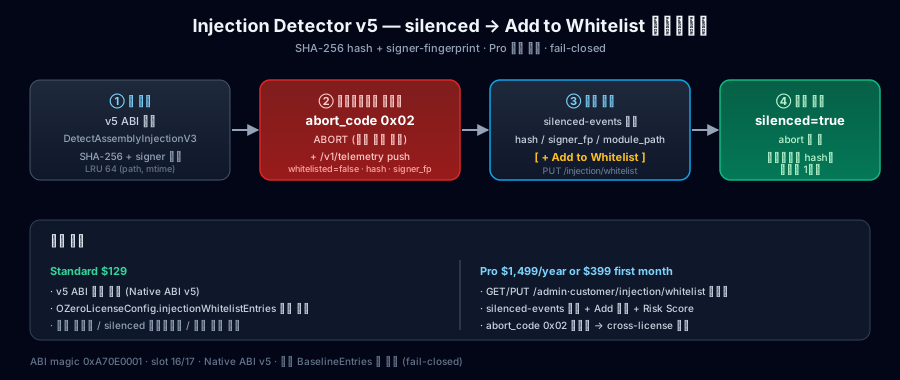
API for registering modules that should be treated as trusted by the Injection scan. Use it for overlays, recorders, operations plugins, or partner modules that ship with your game and are known to be safe but may be detected. HashHex is the SHA-256 hash of the module file, and SignerHex is the SHA-256 hash of the module signing certificate. Do not guess these values; register only values confirmed from the actual distributed file or diagnostic output.
Data Structure — OZeroInjectionWhitelistEntry
[Serializable]
public class OZeroInjectionWhitelistEntry
{
    // SHA-256 of the matched module file. Lowercase 64-char hex. Required.
    public string HashHex { get; set; }

    // SHA-256 of the module's signing certificate. Lowercase 64-char hex.
    // Empty ("") means "match by hash only" (only mode for Android .so / Linux ELF).
    public string SignerHex { get; set; }

    // Module file format hint — "pe" | "macho" | "so". Defaults to "so".
    public string Type { get; set; }

    // Optional human-readable note (UI / audit only — never sent to native).
    public string Comment { get; set; }
}
Data structure for local trusted module entries in Unity. HashHex is the required 64-character SHA-256 file hash, and SignerHex is an optional 64-character signer fingerprint. Type is one of pe, macho, or so, and Comment is a human-readable note.
Runtime API — OZeroDispatch
// Returns true when trusted-module policy support is available.
public static bool HasInjectionV3 { get; }

// Replace trusted module entries atomically. Pass null/empty to clear.
// Returns false when the runtime support is unavailable.
public static bool RegisterInjectionWhitelistHash(OZeroInjectionWhitelistEntry[] entries);

// Trusted-module aware scan. Returns true when a relevant runtime signal is observed.
// Output fields are diagnostic context for your review and may be empty.
public static bool DetectAssemblyInjectionV3(
    out bool   silencedByWhitelist,
    out string hashHex,
    out string signerHex,
    out string matchedModulePath);
Used at runtime to pass the trusted module list to the native scanner, or to check whether this feature is available on the current platform. Most projects only need the Injection settings in the Config Dashboard. If you call this API directly, register only the required entries after distribution files are finalized and verify the result in QA logs.
Config — OZeroSecurityConfig.InjectionSettings
// Preferred local trusted-module surface in the Injection settings.
public OZeroInjectionWhitelistEntry[] InjectionWhitelistEntries { get; }
public bool EnableWindowsSystemModuleScan { get; }
InjectionWhitelistEntries is the local trusted module list inside the Injection settings. It is not meant to broadly allow programs randomly installed on a customer's PC. Use it only for modules distributed with the game whose normal behavior has been confirmed by the developer. This local list is available in all tiers; Pro customers can update the same kind of policy during live operations through the customer portal server-managed whitelist.
Returns the current enableWindowsSystemModuleScan value. This property is read-only. To change it, use Unity's Injection settings or apply a Low, Standard, or Strict security preset.
An unfamiliar system module does not immediately close the game. It is recorded for review; repeated sightings or a missing embedded signature alone do not trigger a block. Existing allow rules still apply, as do explicit blocks matched by file hash. Configure this option in Unity's Injection settings; it cannot be changed remotely from the Pro portal. Other platforms are unaffected.